Category Archives: Hardware
Hikvision Naming Rules: What do Hikvision model numbers mean? — SecurityCamCenter.com
Hikvision Naming Rules: What do Hikvision model numbers mean?
For many people Hikvision model numbers can look completely unintelligible. This guide can help you to understand the naming rules and the logic behind the Hikvision’s model numbers (for analog or IP camera, NVRs, DVR, PTZs).
The first thing to note is that the naming rules are slightly different depending on the type of product. The letters and numbers in the model tag mean different things for IP cameras, PTZ cameras or recorders. It will all become clearer shortly.
Naming rules: Hikvision IP cameras
The Hikvision IP camera range varies from dome to bullet to turret (and more) and it shares the same naming rules across models. The image below shows the possible variances.
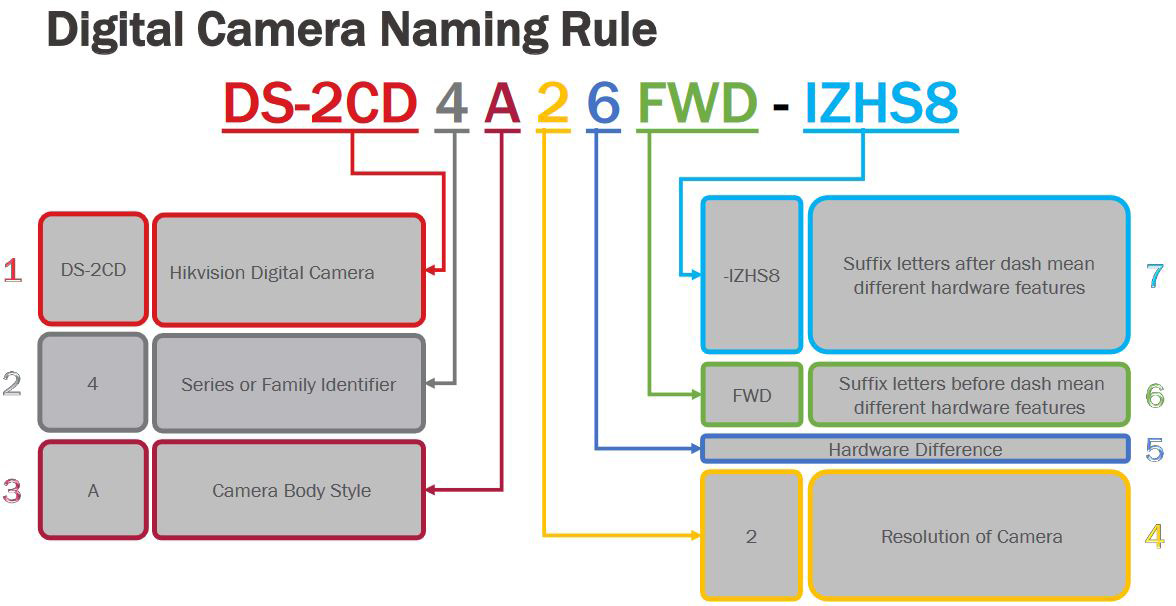
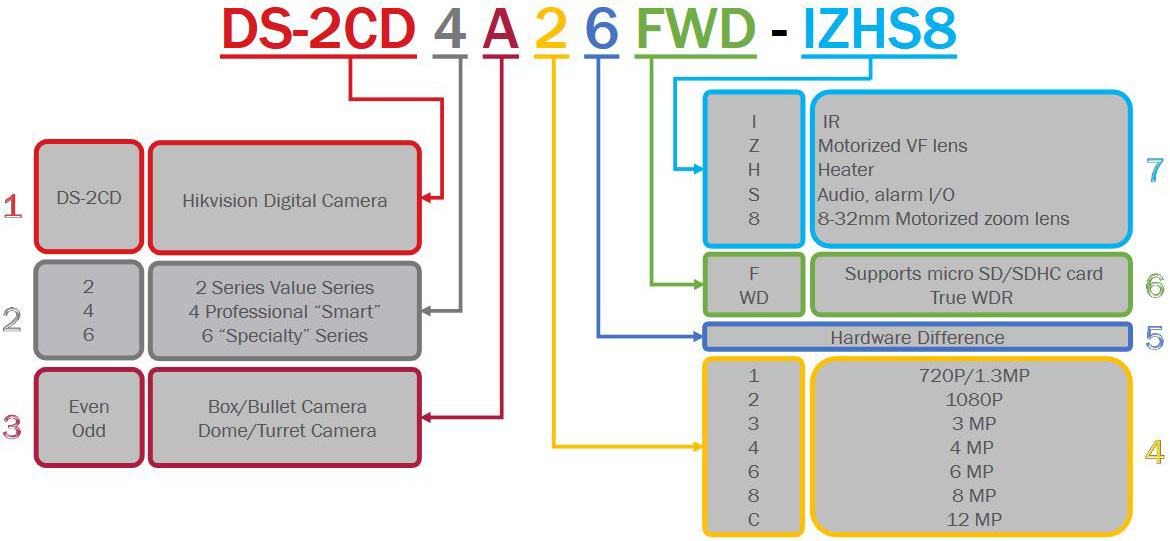
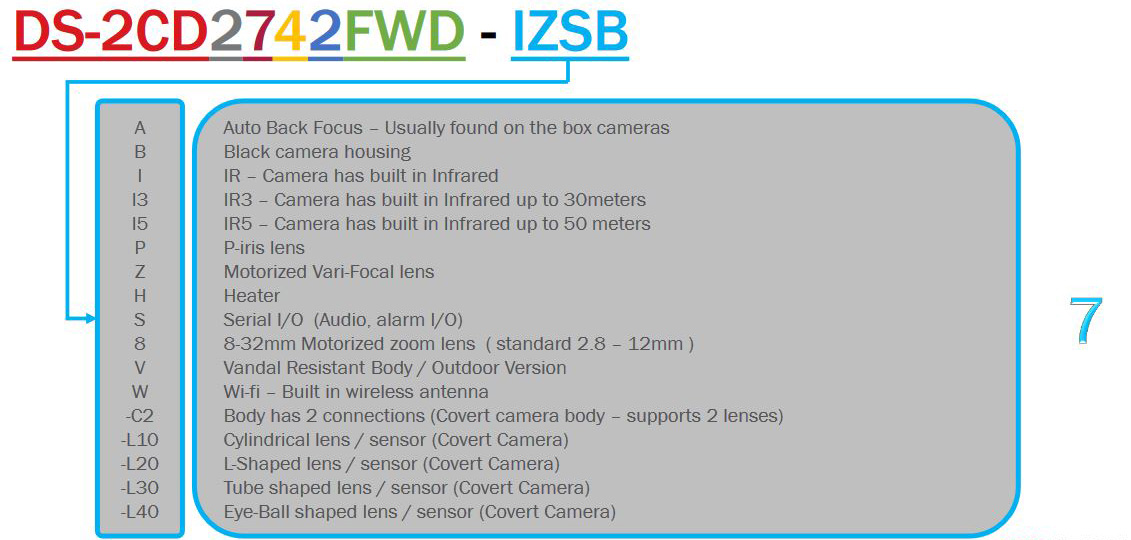 To put this into practice, DS-2CD2123G0-I is an 2MP entry level outdoor dome camera with IR. While DS-2CD2635FWD-IZS is a 3MP bullet camera with IR, motorized varifocal lens and I/O port.
Naming rules: Hikvision PTZ cameras
As PTZ cameras are more complex than regular IP ones, the naming convention is slightly different to take into account the features found only in these cameras. The image below shows the different naming possibilities:
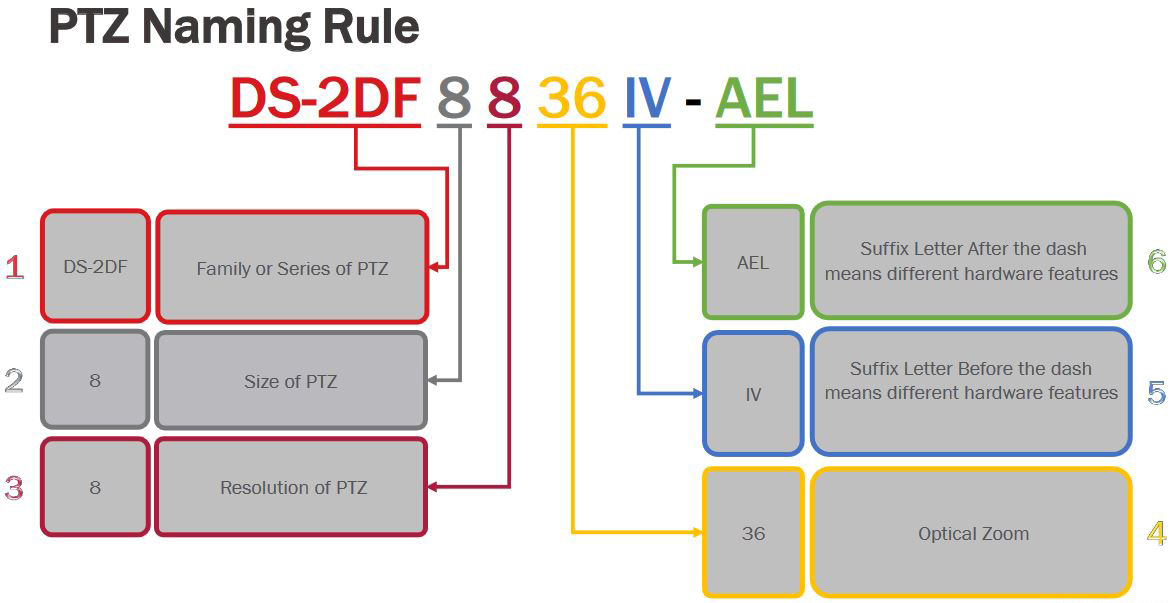
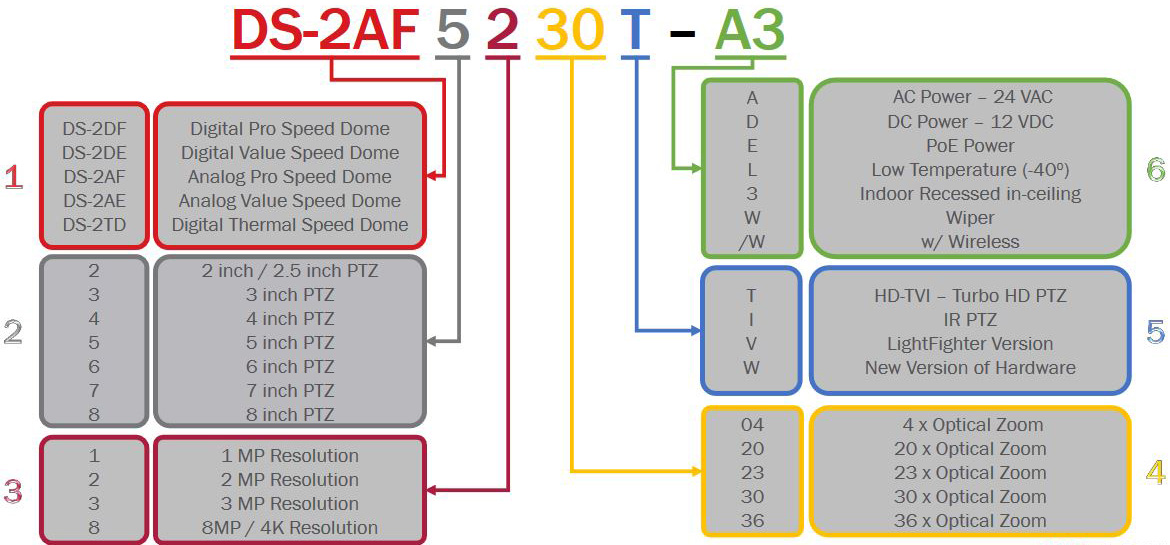 For example the DS-2DF8225IX-AELW camera is a 8” 2MP advanced PTZ camera with 25x optical zoom and IR, which can operate in low temperatures. While the DS-2DE4225IW-DE is a 4″ 2MP PTZ with 25x optical zoom.
Naming rules: Hikvision NVRs
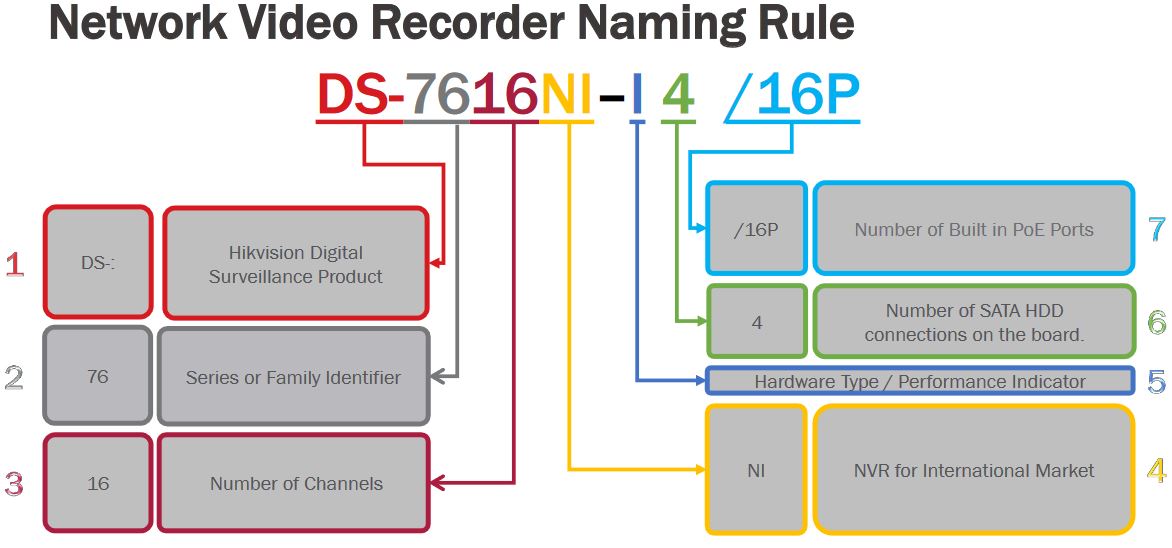
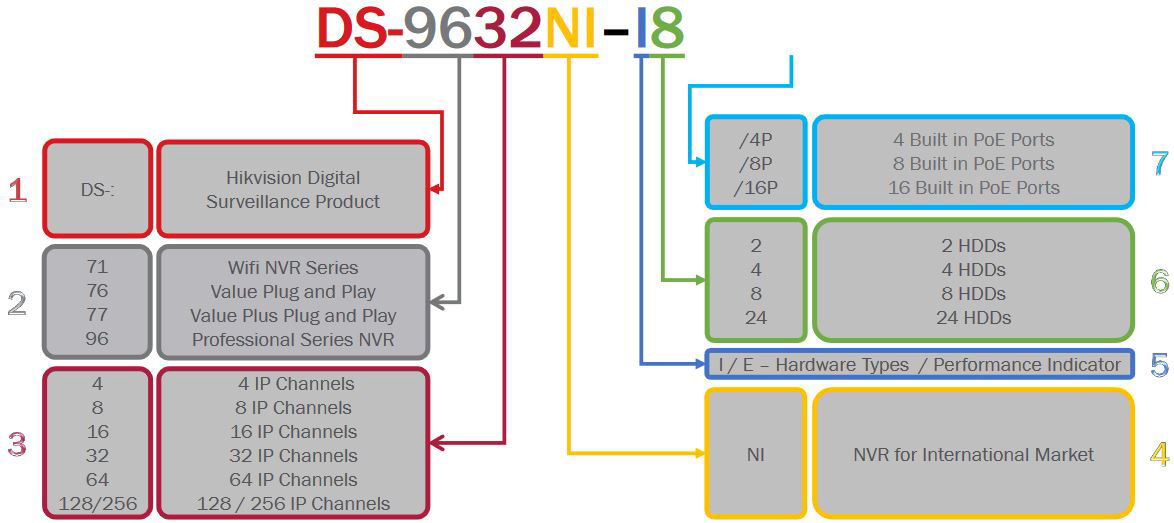
A NVR is an abbreviation Network Video Recorder and they have their own naming rules which includes important information such: the product line, the number of hard drives that can be installed, the number of channels, the megapixels supported etc. Below is the naming chart for Hikvision NVRs.
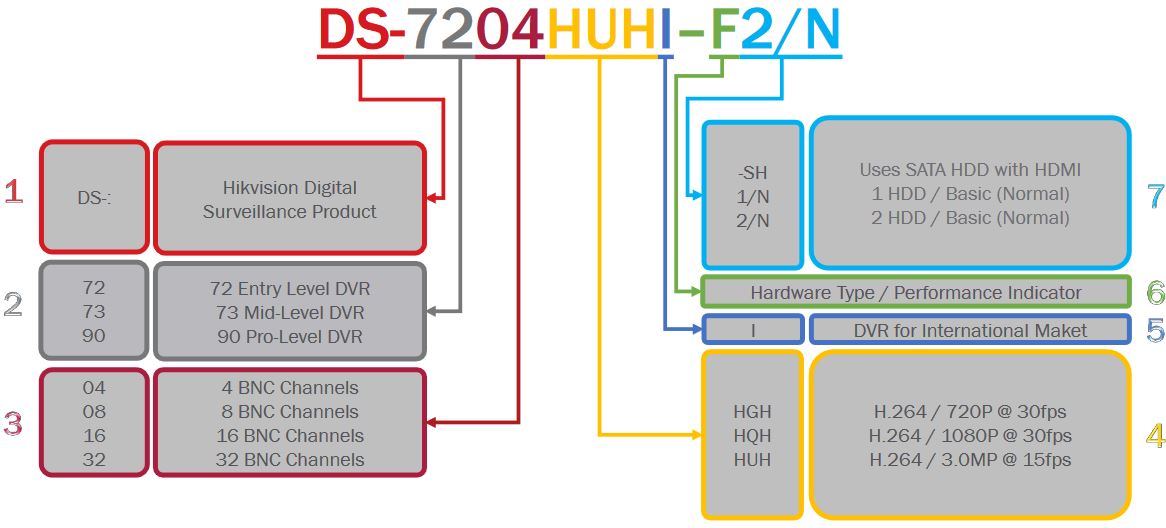
Naming rules: Hikvision DVRs
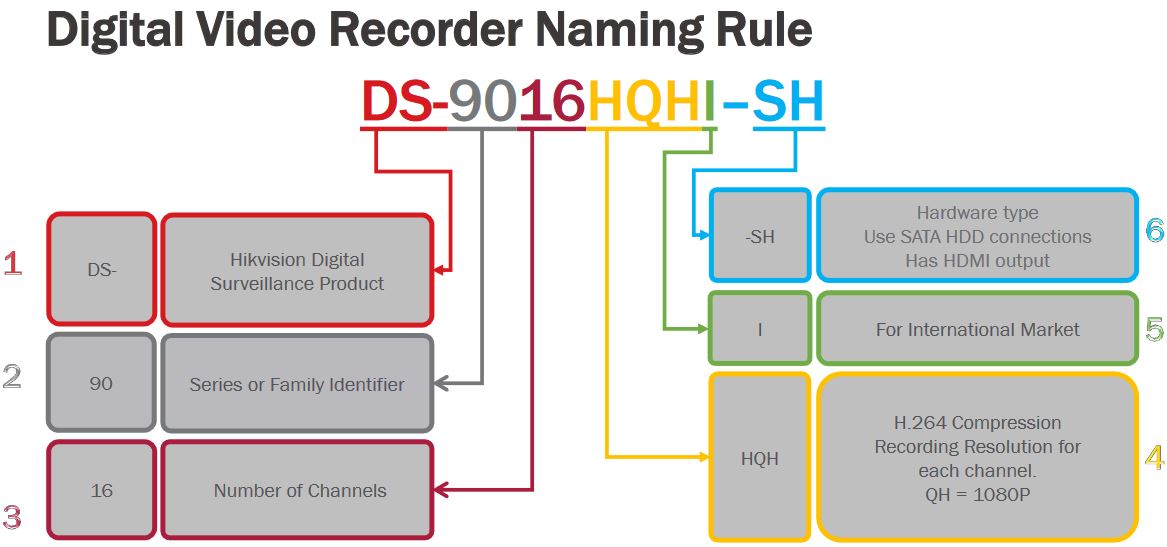
A DVR is an abbreviation Digital Video Recorder (so-called analog recorders) and they have their own naming rules which includes important information such: the product line, the number of analog cameras supported, the number of hard drives that can be installed. Below is the naming chart for Hikvision DVRs.
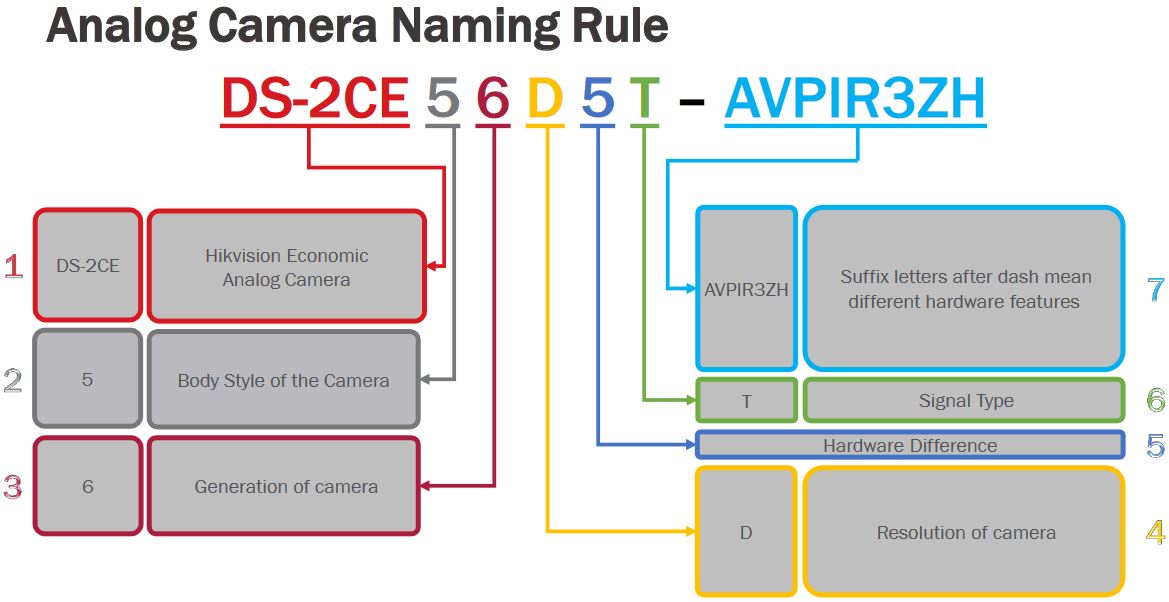
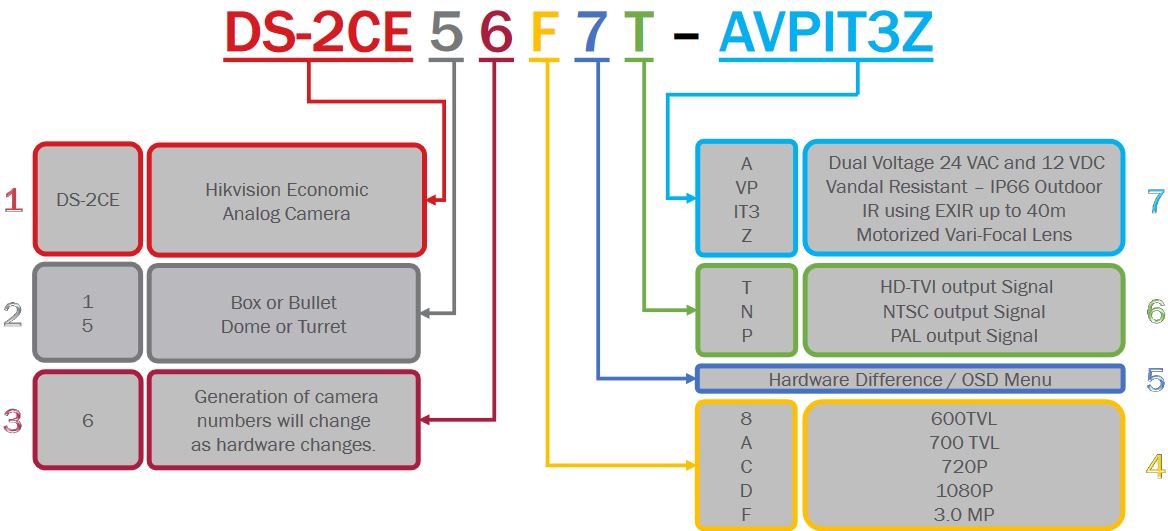
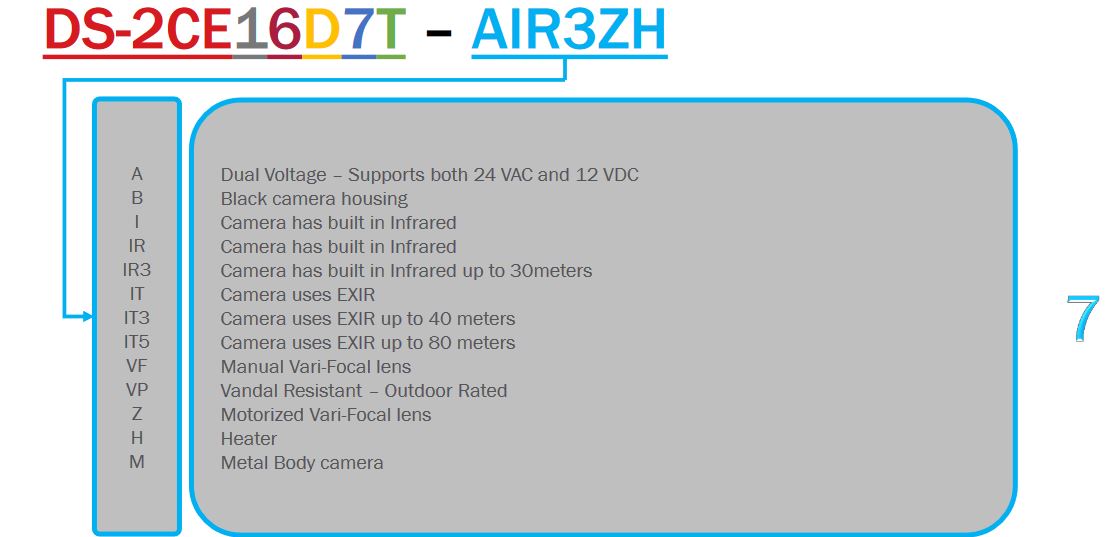
Naming rules: Hikvision Analog cameras
The Hikvision analog camera range varies from dome to bullet to turret (and more such as box cameras) and it shares the same naming rules across models. The image below shows the possible variances.
Source: Hikvision Naming Rules: What do Hikvision model numbers mean? — SecurityCamCenter.com
Open-Source HomeKit Camera by brutella – Thingiverse
Ubiquiti Help Center
UniFi – LED Color Patterns for UniFi Devices
Support Center for Ubiquiti — Learn about our products, view online documentation, and get the latest downloads.
Source: Ubiquiti Help Center
How To Reset an APC AP9630 / AP9631 to DHCP Mode | Chris Parker
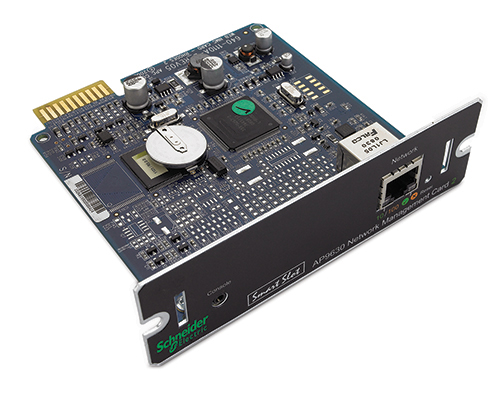
Several years ago I purchased an APC AP9630 Network Management Card 2 (AP9630 NMC) for a Smart-UPS of mine. The manual was not clear how to change the mode of the card to enable DHCP without using a serial cable. (Who even has a laptop with an old serial port?!)
It turns out there are two reset modes for the card:
- Pressing the reset button for 5-7 seconds resets only the password.
- Pressing the reset button for 20 seconds will restore the card to factory default settings and switch it to DHCP mode.
This should also work on the AP9631.
Hopefully, this will get indexed and save some people some time in figuring it out…
Source: How To Reset an APC AP9630 / AP9631 to DHCP Mode | Chris Parker
Kayak/can_definition_sample.kcd at master · dschanoeh/Kayak · GitHub
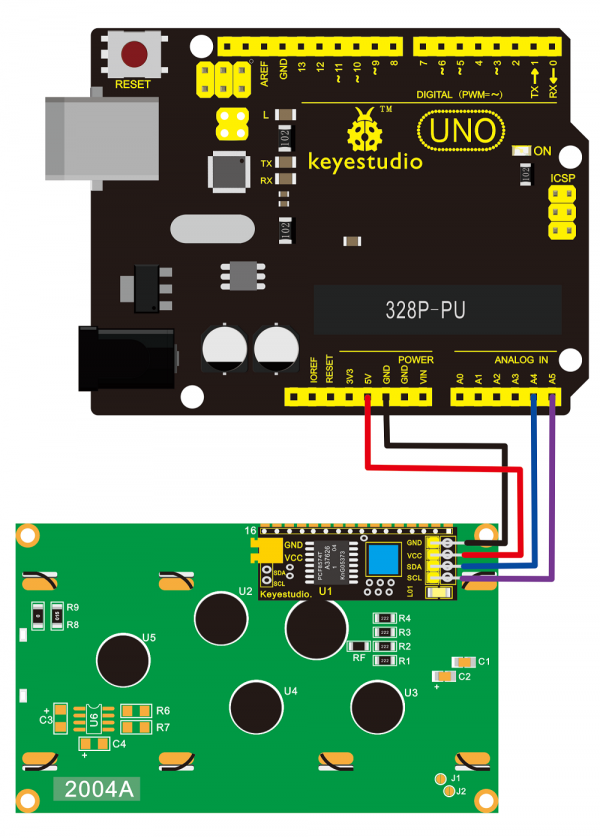
NeoLoch, LLC
NeoLoch, LLC. Custom firmware and electronics kits for the electronics enthusiast.
Source: NeoLoch, LLC
Speed freaks rejoice, because USB could get twice as fast
The port’s data speed is doubling today, but another doubling is possible. That would help when copying files and plugging in big monitors.
Source: Speed freaks rejoice, because USB could get twice as fast
More than 450 HP laptop models contain hidden keyloggers capable of tracking everything you type | Alphr
More than 450 HP laptop models have a keylogger hidden away in a driver, forcing HP to issue patches for the affected devices.The keylogger, found in Synaptics’ touchpad software, is disabled by default, but hackers could potentially enable it if they had access to a computer by elevating user privileges, said Michael Myng, the researcher who discovered the flaw.