Printing the planet, one layer at a time.
Source: Gcode | Marlin Firmware
Printing the planet, one layer at a time.
Source: Gcode | Marlin Firmware
- Open a blank spreadsheet
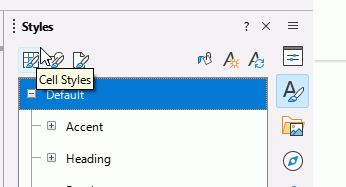
- In the Sidebar, click on the Styles icon to open the Styles pane.
- The pane initially shows Cell Styles (first icon on left at the top).
- Right click Default, select Edit style
- In the dialogue that opens, select the Fonts tab. Select your desired font and font size, change nothing else. OK
- Click File > Templates > Save as template
- In the dialogue, type a suitable name, select an appropriate location such as My Templates, tick the box Set as default template. Save
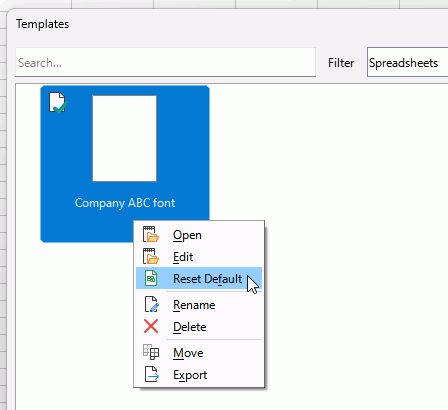
To remove the default template status if no longer needed, click File > Templates > Manage templates. FInd the template with a green tick, right click it and select *Reset default. Or right click another template and select Set as Default to make that default template.
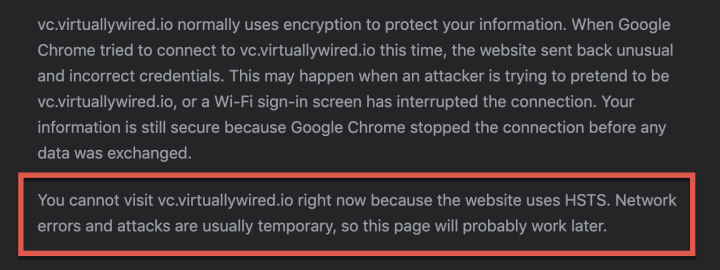
chrome://net-internals/#hsts
Source: Fix Error, You cannot visit site right now because the website uses HSTS – VirtuallyWired
PDQ makes silently uninstalling applications a piece of cake. Find out how to remove unwanted software from your managed devices with this step-by-step guide.
All my charts for comparing Ubiquiti’s models of UniFi Gateways, Consoles, Wireless Access Points, and Switches. Last updated in December 2024 for the Enterprise Fortress Gateway, UXG-Enterprise, Enterprise Campus switches, and E7 Enterprise Wi-Fi 7 access points.
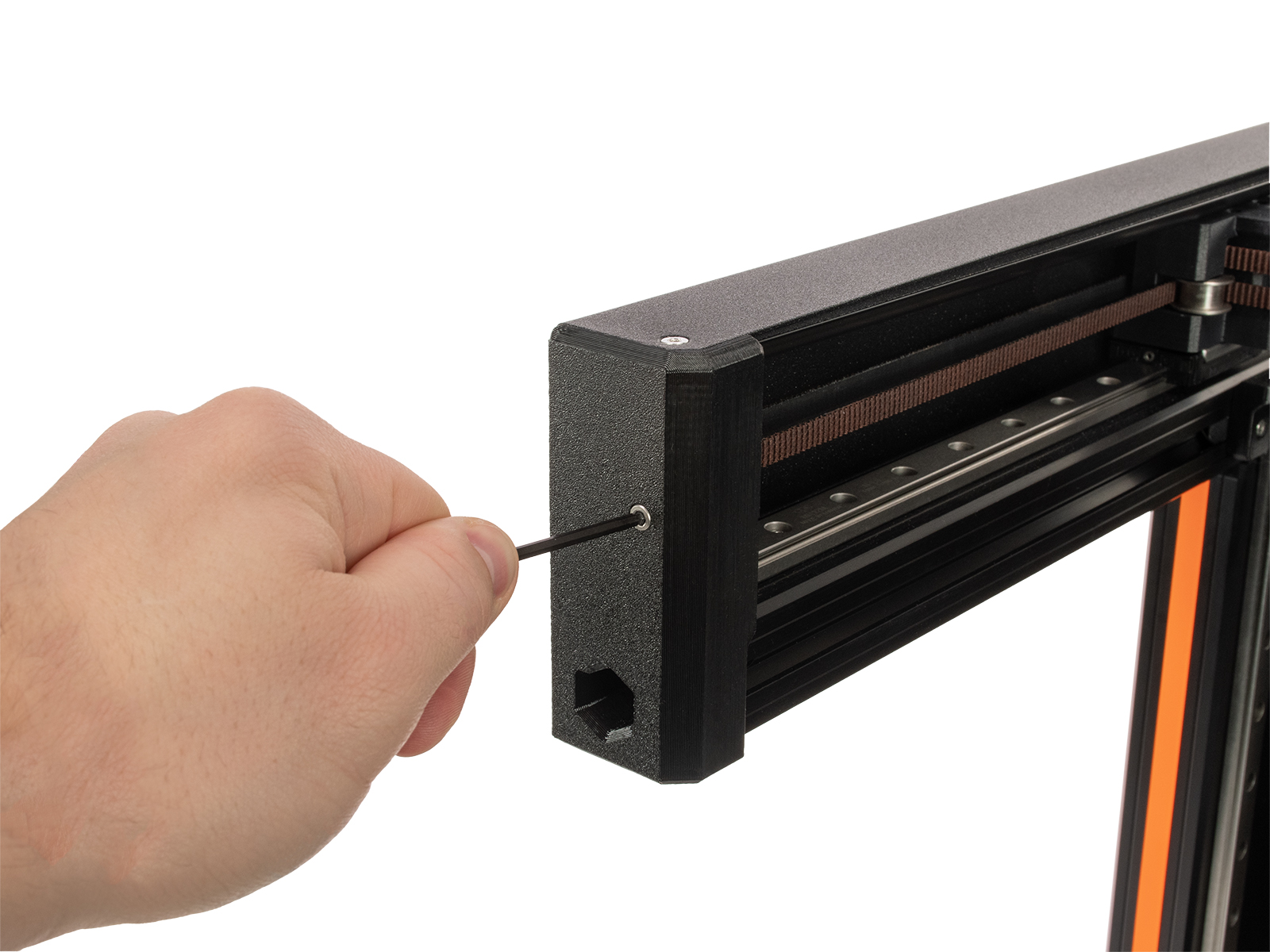
On the Original Prusa XL, adjusting the belt to the optimal tension is crucial to achieving good quality on the prints. A loose belt can cause Layer shifting, Ghosting, or other print abnormalities,…
A novice user guide on VLOOKUP function in LibreOffice Calc spreadsheet program with examples and things you need to know.
Source: VLOOKUP with Examples in LibreOffice Calc – libreofficehelp.com