Image to lithophane converter. Free lithophane software that can create lithophane boxes, lamps, night lights, ceiling fans, and more! 3D print lithophanes with the best lithophane software.
Category Archives: Photography
How to rotate and flip videos using Handbrake – IT Support Guides
How to rotate and flip videos using Handbrake
HandBrake is a free tool that’s available for Windows, Mac OS and Ubuntu that allows you to take a video in various formats and convert it to an MP4.
The steps below show how to rotate the video being processed.
Before beginning, you need to download and install HandBrake.
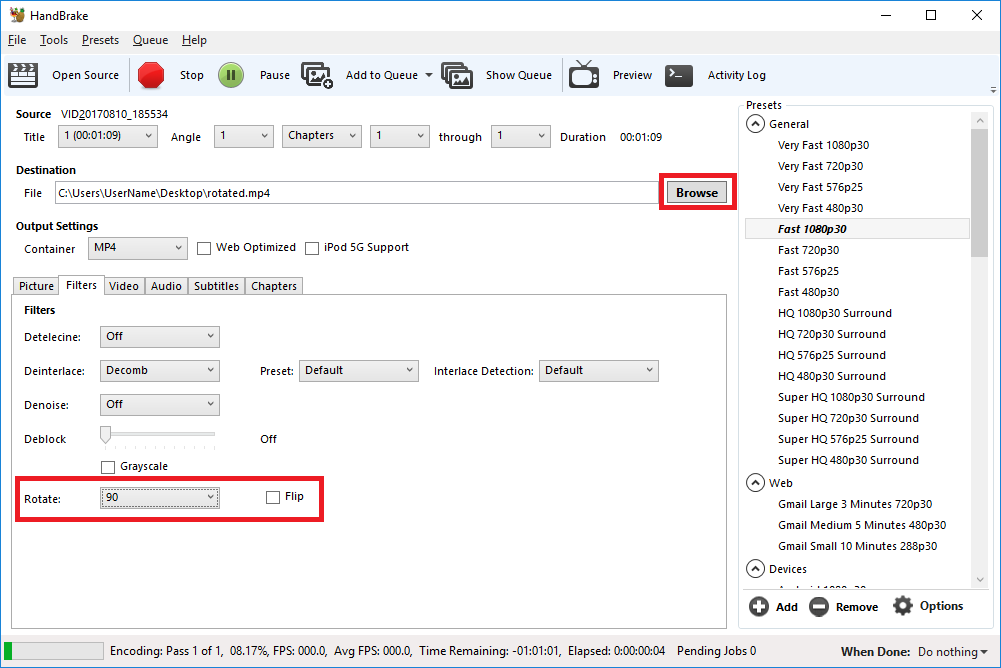
- Open HandBrake and load your video using the ‘Source’ button to select the video you want to rotate or flip
- Choose where to save the rotated video by clicking on the ‘Browse’ button to select where the converted file will be saved.
- Open the ‘Filters’ tab
- The ‘Rotate’ option allows you to choose four different options
- 0 – do nothing
- 90 – rotate to the right
- 180 – turn upside down
- 270 – rotate to the left
- Choose the rotate option you require
- Click ‘Start Encode’ to begin
- At the bottom of the window you will see the progress
Help! It didn’t work
Try the manual way of rotating, by applying manual filters.
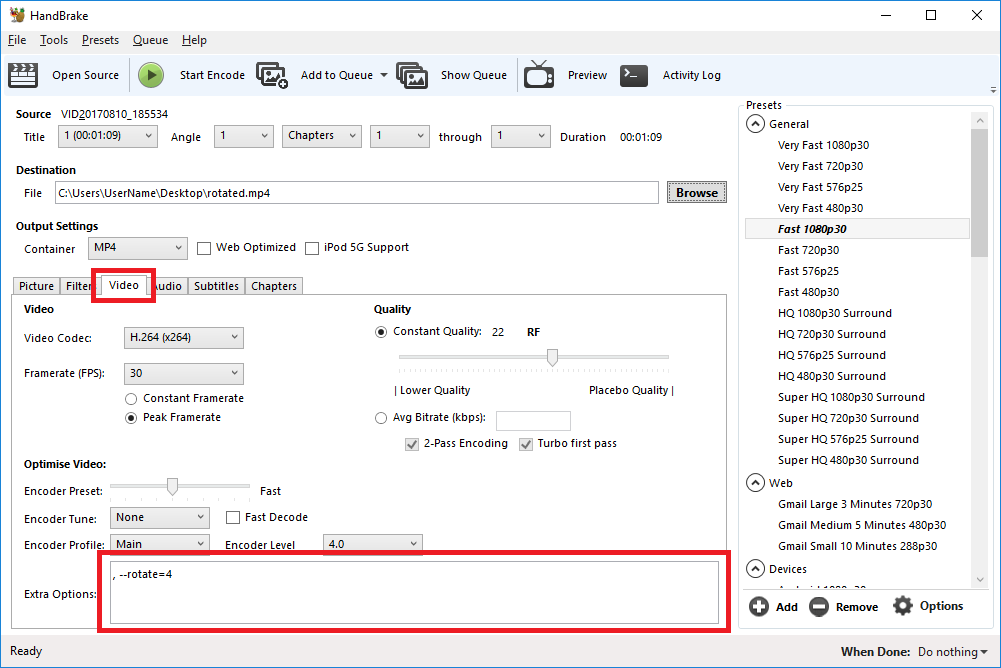
- Open the ‘Video’ tab
- We’ll be working with the ‘Extra Options’ setting.
- Once you have the required command entered, click ‘Start Encode’ to begin.
Rotate 90 degrees clockwise
To rotate 90 degrees clockwise, enter the following command into the ‘Extra Options’ setting:
, --rotate=4Rotate 90 degrees anti-clockwise
To rotate 90 degrees anti-clockwise, enter the following command into the ‘Extra Options’ setting:
, --rotate=7Rotate 180 degrees (upside down)
To rotate 180 degrees so that the video is upside down, enter the following command into the ‘Extra Options’ setting:
, --rotate=3Other options?
The official HandBrake documentation has more detail on what other options are available.
1 : x flip
2 : y flip
3 : 180 degrees rotate (also the DEFAULT)
4 : 90 degrees rotate (clockwise)
5 : 90 degrees rotate + y flip
6 : 270 degrees rotate + y flip
7 : 270 degrees rotate
Source: How to rotate and flip videos using Handbrake – IT Support Guides
How To Process Your Black & White Film | Ilford
It’s useful, and cathartic
A normal person’s guide to buying an old film camera
You don’t have be an expert (or a hipster) to enjoy analog photography
Source: A normal person’s guide to buying an old film camera
Richard Photo Lab | Blog
 Source: Richard Photo Lab | Blog
Kodak’s Ektachrome Reboot is on Track Despite $46M Loss and 425 Layoffs
Earlier this year in January, Kodak announced it was bringing back its popular Ektachrome film. After a period of silence and recent news that the company
Source: Kodak’s Ektachrome Reboot is on Track Despite $46M Loss and 425 Layoffs
A Full Guide To The Black & White Film Stocks Currently On The Market | SLR Lounge
Why You Should Always Set the Profile in Lightroom Before You Start Editing
Now that I have used Lightroom for many years, processing photos from two different camera systems (Canon EOS and Fujifilm X-series), I have realized that
Source: Why You Should Always Set the Profile in Lightroom Before You Start Editing
Photos Show Immigrants as They Arrived on Ellis Island | Fstoppers
From 1892 to 1925, Augustus Sherman, the chief registry clerk of Ellis Island, took photographs of immigrants as they arrived in the United States. The photographs are striking for their display of the vast array of cultural backgrounds that passed through on their way to becoming citizens of the U.S. Take a look at some of the history contained in this archive.
Source: Photos Show Immigrants as They Arrived on Ellis Island | Fstoppers
It’s Time for Show & Tell with the Vintage Camera Collection You Always Wanted | Messy Nessy Chic
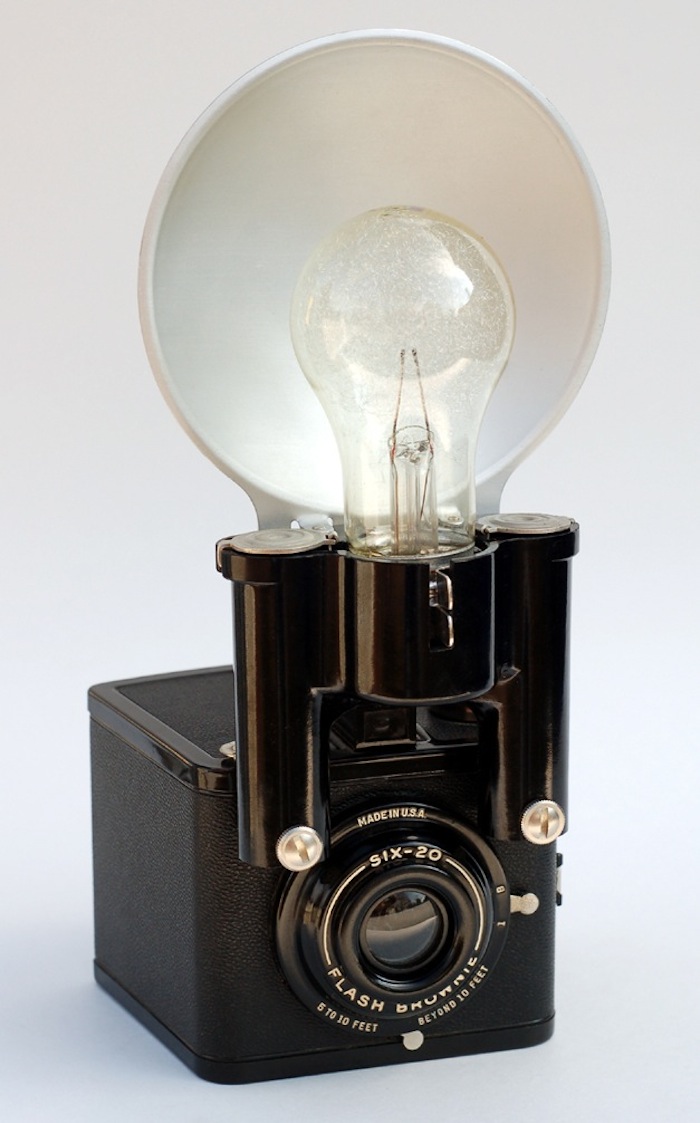
I found John Kratz and his camera collection on another one of my internet browsing adventures and was immediately taken with his sharp eye for vintage design. I love how some of his cameras just […]
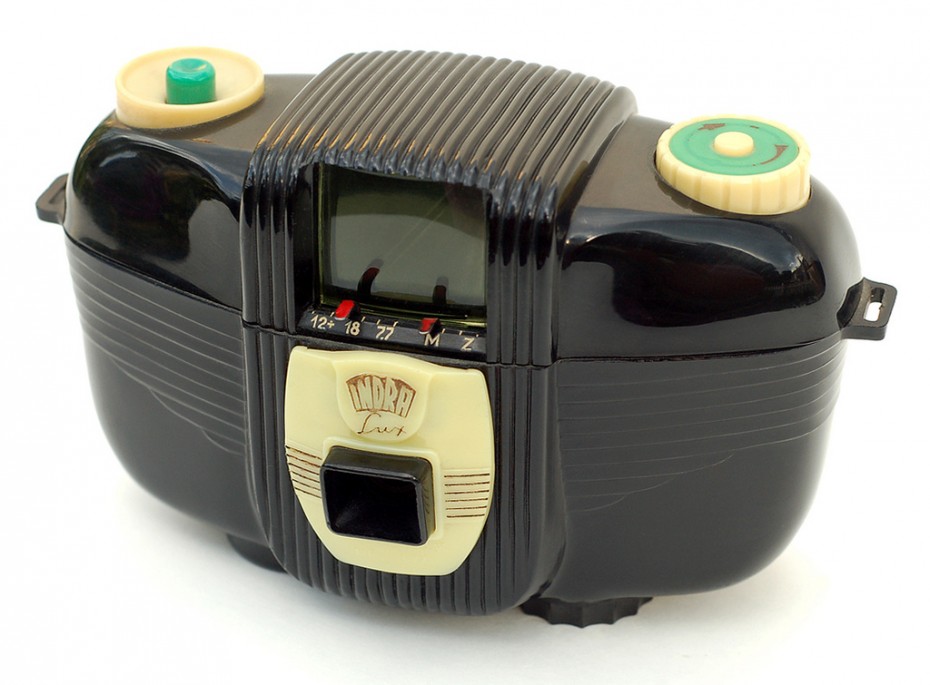
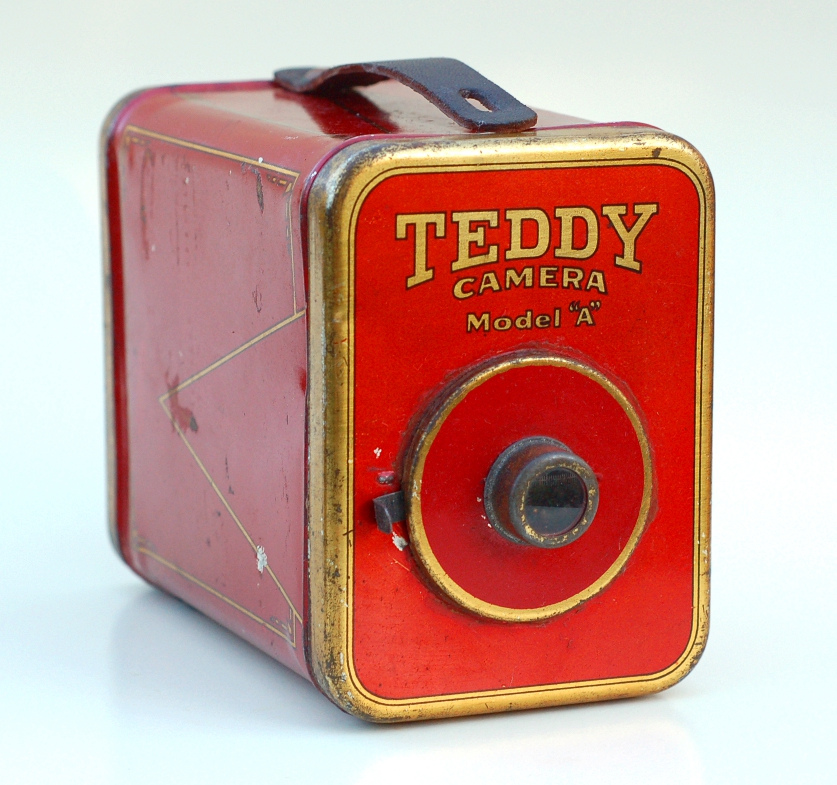
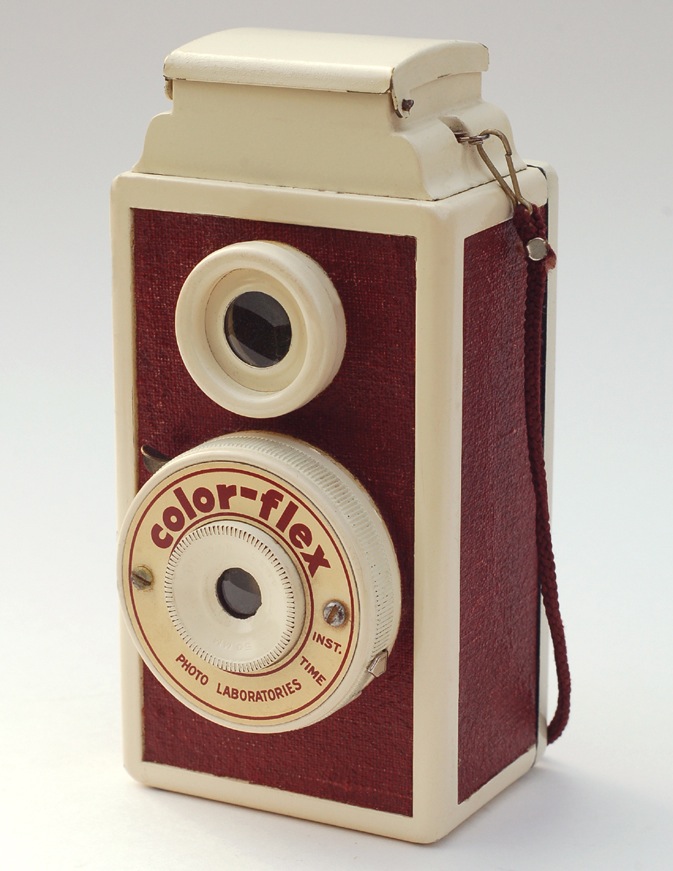
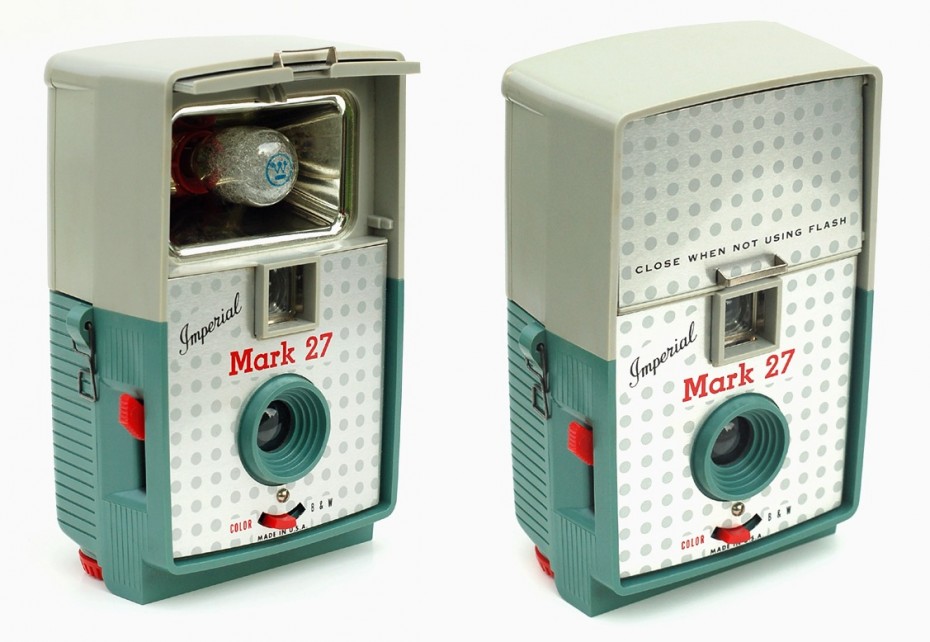
Source: It’s Time for Show & Tell with the Vintage Camera Collection You Always Wanted | Messy Nessy Chic