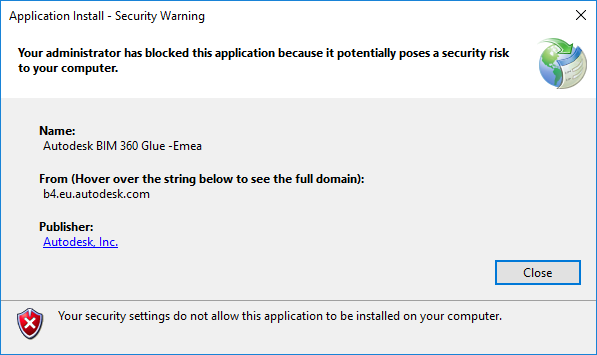
“Your administrator has blocked this application because it potentially poses a security risk to your computer”
Issue:
During the installation of BIM 360 Glue Desktop, you see this error message:
Application Install – Security Warning
Your administrator has blocked this application because it potentially poses a security risk to your computer.
Causes:
The Windows ClickOnce trust prompt is disabled. ClickOnce, a component of the .NET Framework, must be enabled to run BIM 360 Glue.
Solution:
To resolve the issue, enable this registry key:
- HKLM\SOFTWARE\MICROSOFT\.NETFramework\Security\TrustManager\PromptingLevel\Internet
Note: This operation should be performed by an administrator with a technical understanding of the Windows Registry.
To enable the registry key:
- Open the registry editor:
- Find the following registry key:
\HKEY_LOCAL_MACHINE\SOFTWARE\MICROSOFT\.NETFramework\Security\TrustManager\PromptingLevel\Internet
If the key does not exist, create it.
- Set the value to Enabled.
Warning!
Problems caused by improperly editing the Windows registry could render your computer operating system unusable. Microsoft provides a wealth of critical information that you need to know about the registry in the Microsoft Knowledgebase. Use the Microsoft Registry Editor only at your own risk and only after backing up the registry as outlined for your operating system in the Microsoft article How to back up and restore the registry in Windows and in the related solution How to back up the system registry. Additional information about the registry is also contained in the Help topics in the Microsoft Registry Editor.