1. Press Windows+C to open the Windows Charm Screen-> Go to Search to open the Apps Search Field.
Now, just type regedit.exe in the search field.
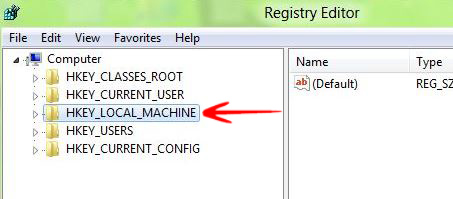
2. You will find an option on the left side of the registry editor calledHKEY_LOCAL_MACHINE. Expand it.
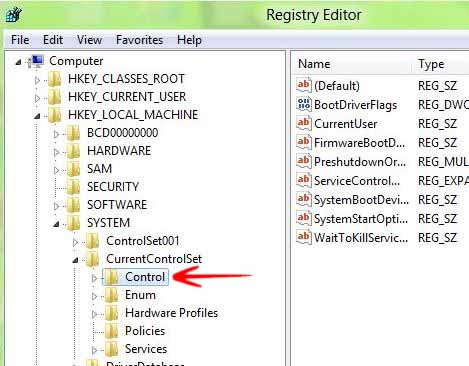
3. Go to SYSTEM and expand it.
4. Choose CONTROL and expand it
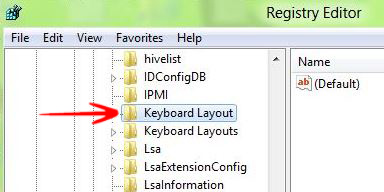
5. Choose KeyBoard Layout and expand it.
6. In the right side of the screen Right click-> Go to New-> Select Binary Value.
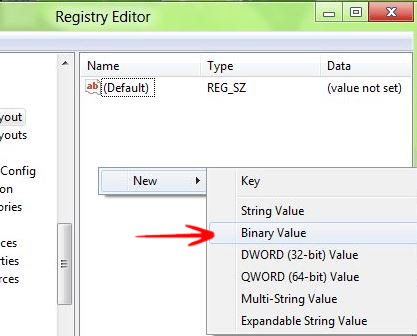
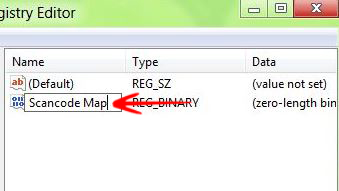
7. Name it Scancode Map.
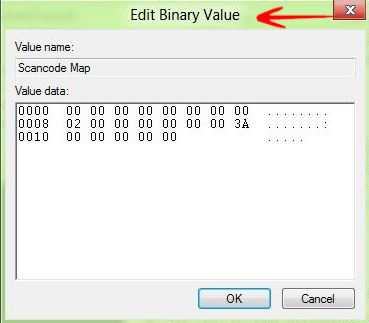
8. Double click on it and write the value 00000000 00000000 02000000 00003A00 00000000 and press OK.
9. Close the Registry Editor and Reboot.