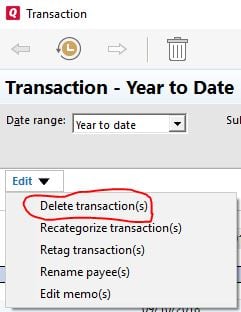
Try using the Banking Transactions Report (Reports > Banking > Transaction).
Customise it to show the account with the transactions you want to delete and make sure the date range includes those transactions. Use Ctrl-Click or Shift-Click to select the transactions you want to delete, then in the top left hand corner of the report there’s a drop down Edit control from where you can delete them: