https://www.haythornthwaite.com/119%20More%20Power%20at%20Your%20Elbow%20Electronics.pdf
Monthly Archives: February 2023
Find UniFi SSH Credentials
Find UniFi SSH Credentials
UniFi Controller (New versions)
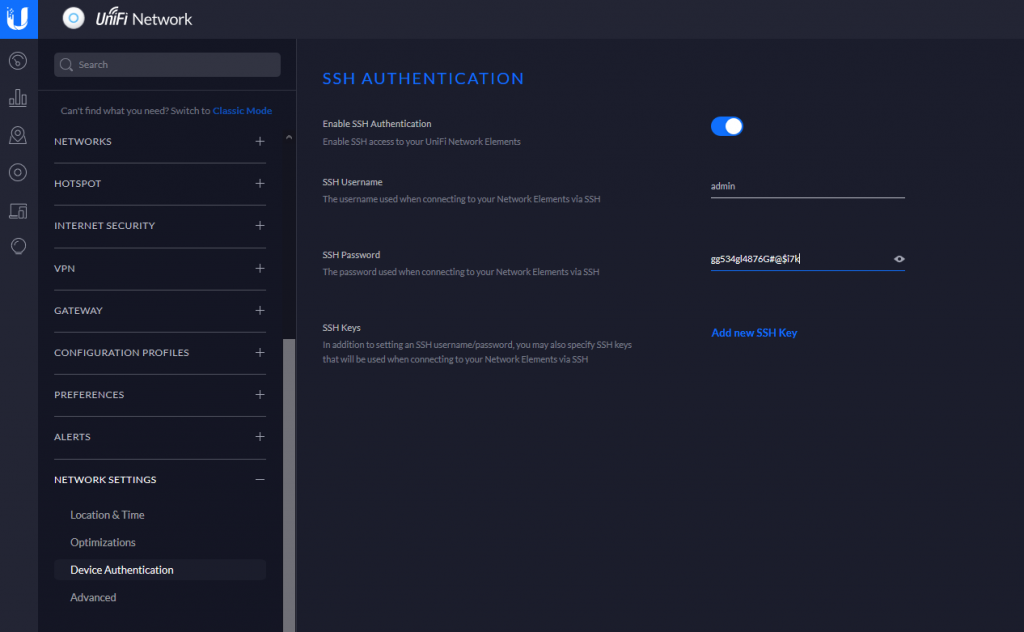
In the newer controller versions, you should be able to go to
Settings -> NETWORK SETTINGS -> Device Authentication
To view the SSH credentials.
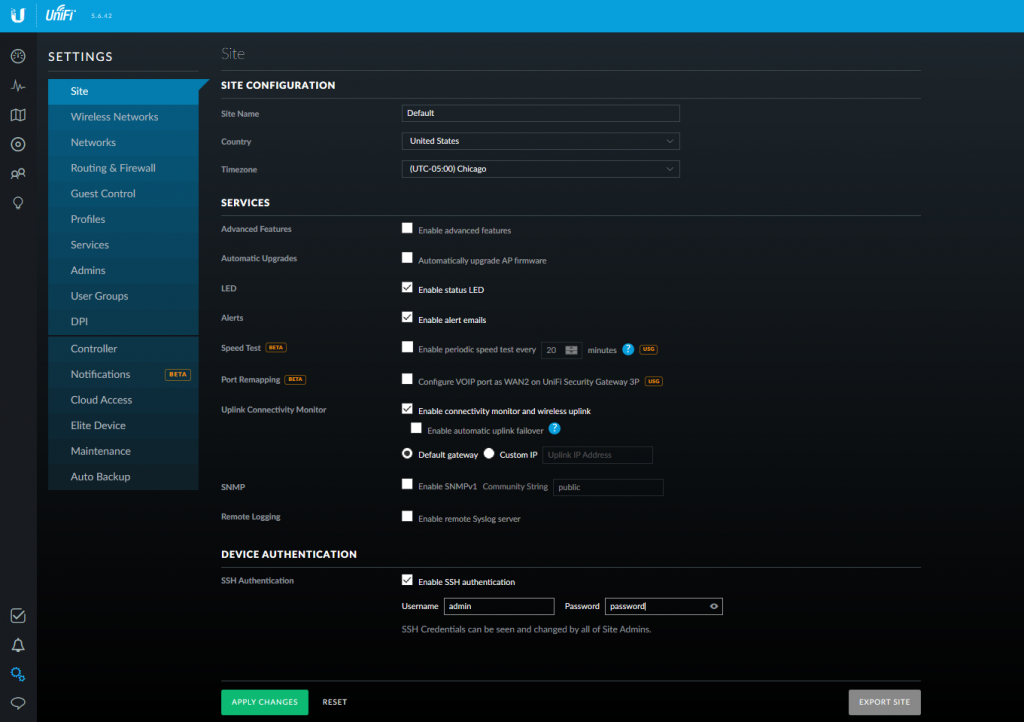
5.12.66 Controller Settings UniFi 5.6.x Controller
Go to Settings -> Site -> DEVICE AUTHENTICATION
5.6.42 Controller Settings
Reset UniFi to Factory Defaults via Command Line
Reset UniFi to Factory Defaults – Command Line
SSH into the UniFi. Note that the UniFi username and password get updated from the controller. Refer to here to find username and password.
ssh ubnt@192.168.1.20run the syswrapper.sh script with the restore-default option
syswrapper.sh restore-defaultOnce the device is reset, log in over ssh and reconfigure.
Note that the username and password will now be ubnt/ubnt